Python基础 – 函数的参数
<h2>必选参数</h2>
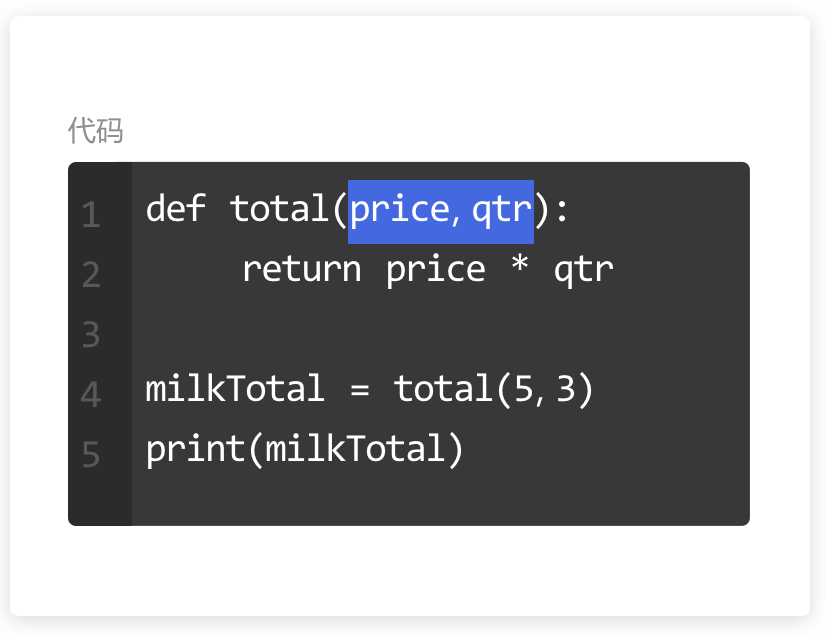
<p>函数的一种参数类型,在调用这个函数的时候必须传入数据的参数。
<img src=“https://assets.moshanghua.net/images/2022/08/msh-2592-01.png” alt=“” /></p>
<p><strong>传递实参时的顺序</strong></p>
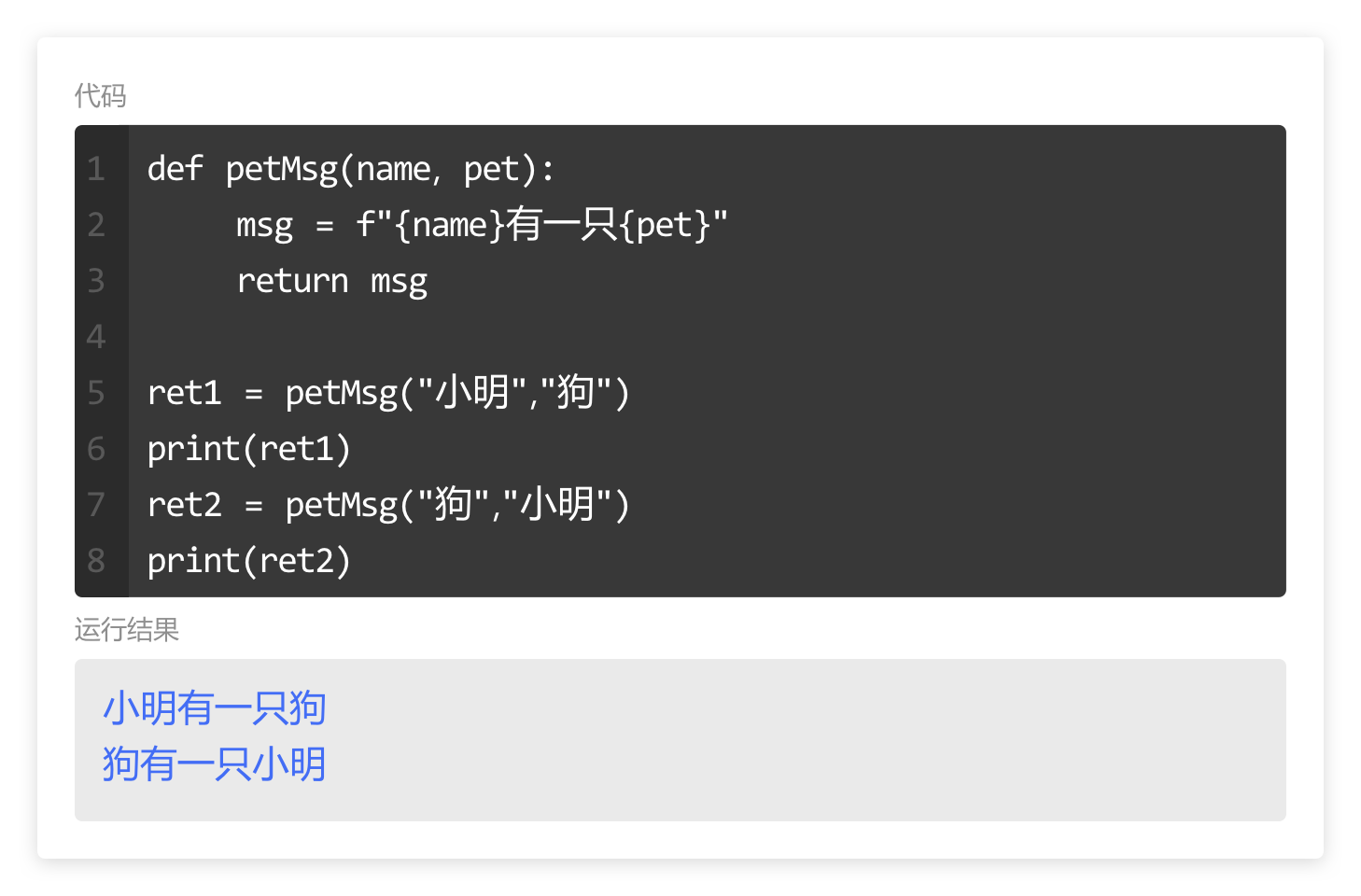
<p>在传递必选参数时,形参会<strong>按照定义的顺序依次</strong>接收数据。</p>
<p>调用函数时第一个参数传递给name,第二个参数传递给pet。
<img src=“https://assets.moshanghua.net/images/2022/08/msh-2592-02.png” alt=“” /></p>
<p><strong>缺少实参</strong></p>
<p>在调用函数时,缺少或超出对必选参数的传递会导致程序错误。</p>
<p>也就是说,在函数中<strong>定义了多少个必选参数就要传递多少个实参。</strong>
<img src=“https://assets.moshanghua.net/images/2022/08/msh-2592-03.png” alt=“” /></p>
<p><strong>关键字传递</strong></p>
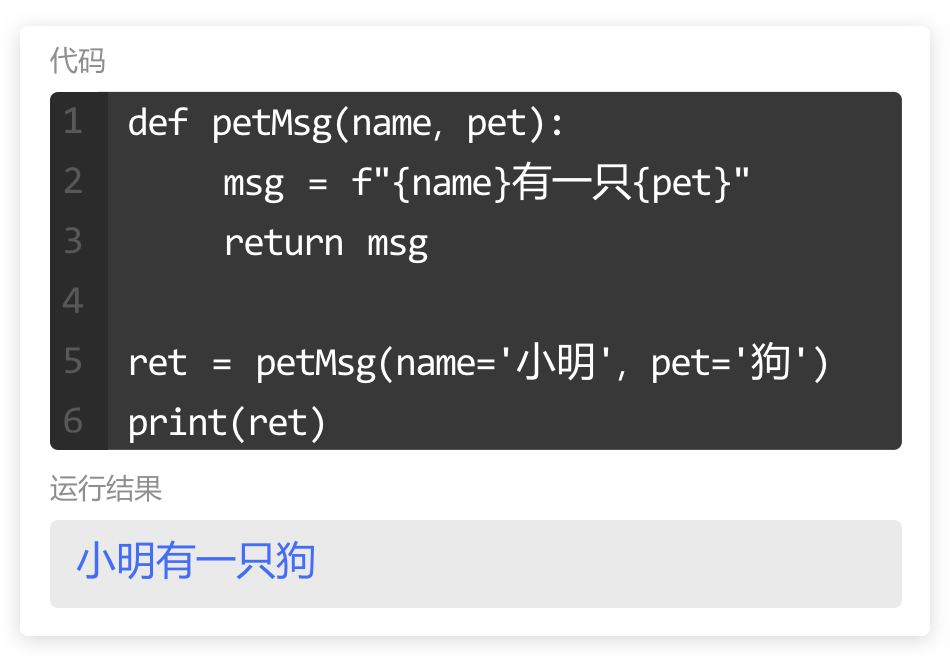
<p>当我们忘记了传递顺序时,可以利用“形参名=实参名”的方式传递实参。</p>
<p>这样以关键字传递实参的形式,简称为关键字实参。
<img src=“https://assets.moshanghua.net/images/2022/08/msh-2592-04.png” alt=“” /></p>
<h3>小练习</h3>
<p>定义一个函数getArea,设定参数width与height分别接收矩形的宽高,计算矩形的面积并返回。</p>
<p>调用该函数,用关键字的形式传递参数宽为5、高为3,并按照“矩形的面积为xx”的格式输出结果。</p>
<pre><code class=“language-python”>def getArea(width, height):
return width*height

ret = getArea(width=5, height=3)
print(f"矩形的面积为{ret}")</code></pre>
<p>若定义一个计算圆形面积的函数,设定参数为半径(radius)与圆周率(pi)。</p>
<p>多数情况下,圆周率都会近似为3.14。</p>
<p>若pi不是必选参数,设其默认为3.14。只在需要修改圆周率时传递数据,函数调用起来会方便很多。
<img src=“https://assets.moshanghua.net/images/2022/08/msh-2592-05.png” alt=“” /></p>
<p>必选参数定义起来虽然简单,在调用函数时经常会因为缺少实参造成程序错误。</p>
<p>接下来学习给形参设置默认值。</p>
<h3>默认值参数</h3>
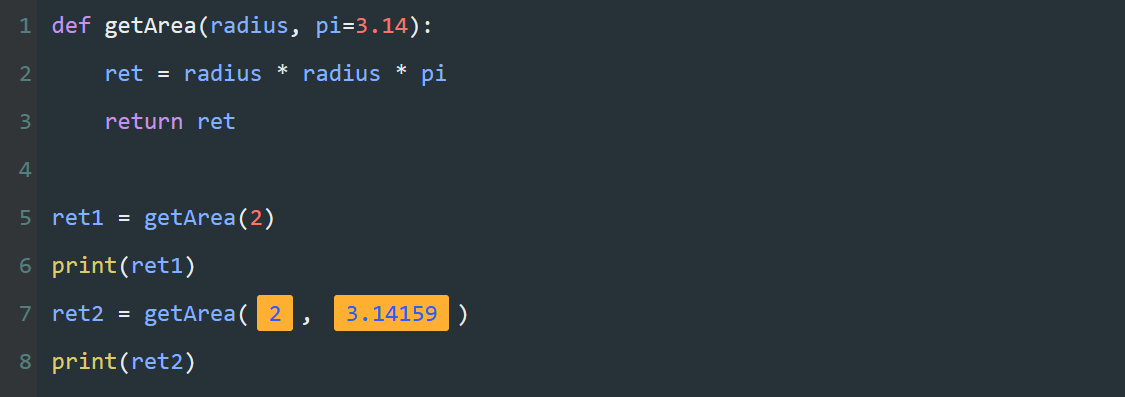
<pre><code class=“language-python”>def getArea(radius, pi=3.14):
ret = radius * radius * pi
return ret

ret1 = getArea(2)
print(ret1)
ret2 = getArea(2, 3.14159)
print(ret2)</code></pre>
<p><strong>代码的作用</strong></p>
<p>定义一个函数<code>getArea</code>,根据传递的半径与圆周率,计算圆的面积并输出。</p>
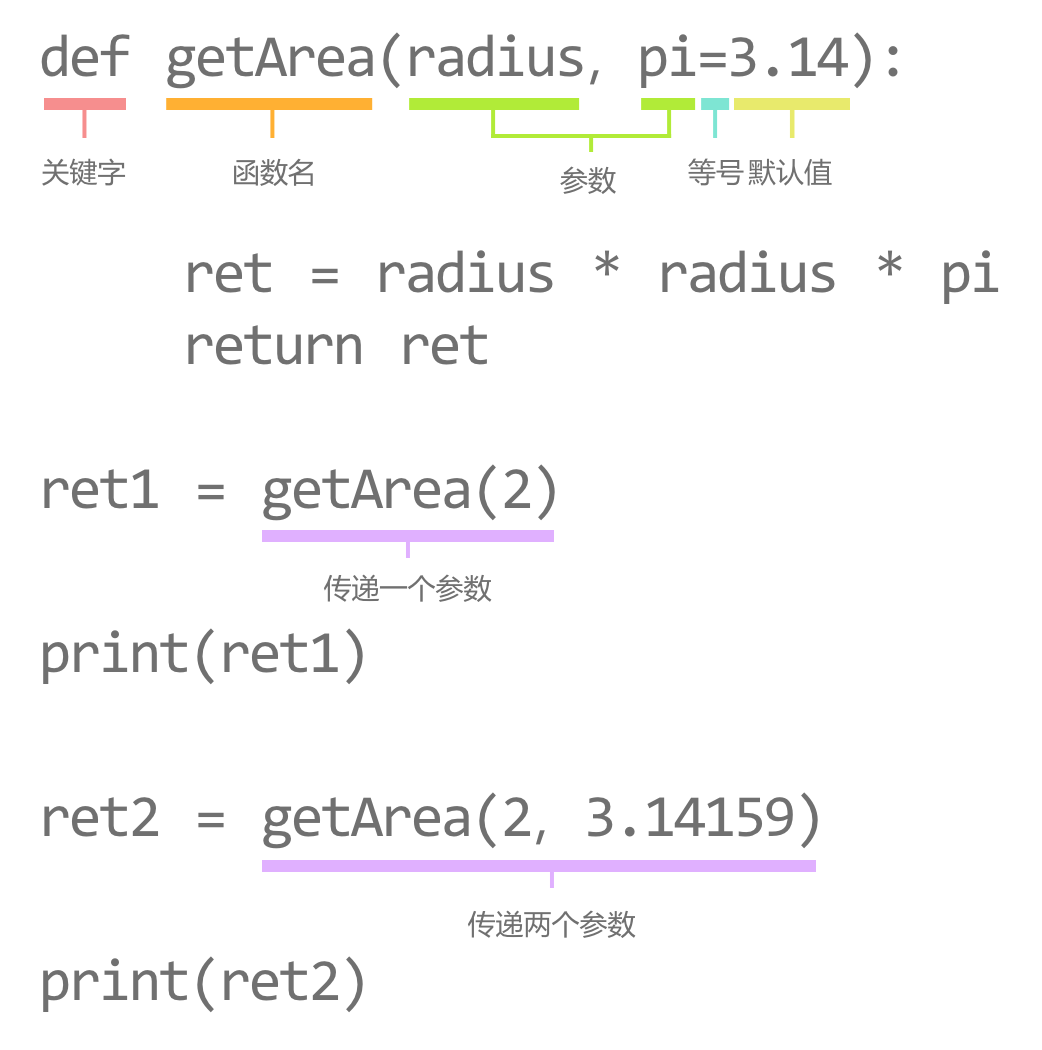
<p>在第1行,定义形参radius与pi,并为pi设定默认值为3.14。</p>
<p>在第5行,调用函数<code>getArea</code>,并传递数据2。</p>
<p>在第7行,调用函数<code>getArea</code>,并传递数据2与3.14159。</p>
<p><strong>关键字</strong></p>
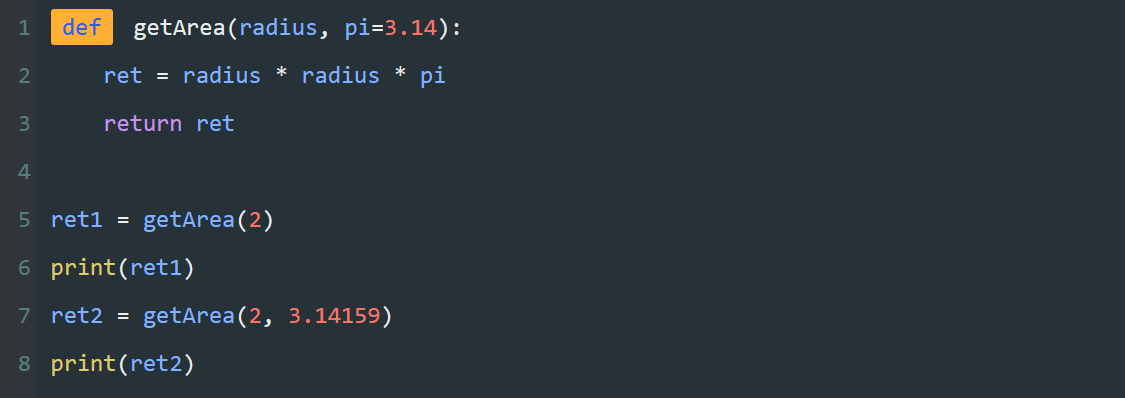
<p>一个关键字,<code>def</code>是<strong>函数定义的关键字</strong>,是<code>define</code>的缩写。</p>
<p><img src=“https://assets.moshanghua.net/images/2022/08/msh-2592-06.png” alt=“” /></p>
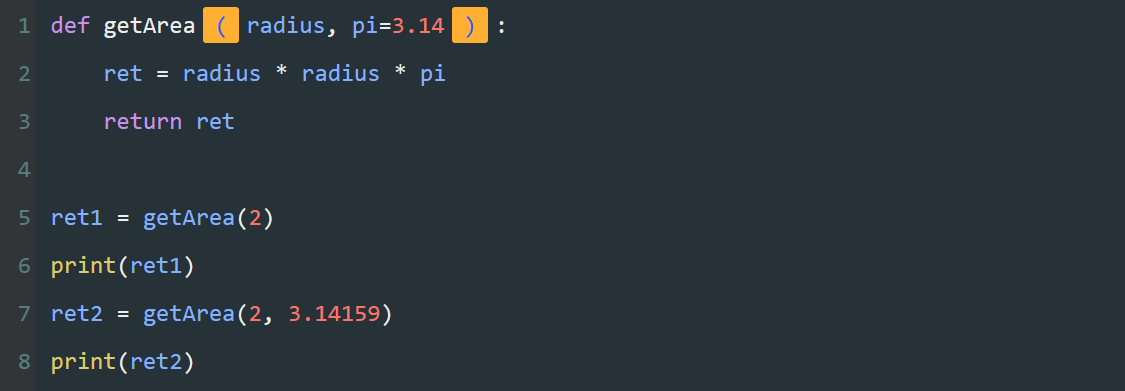
<p><strong>括号</strong>
括号与冒号,这是函数定义的固定格式。</p>
<p><img src=“https://assets.moshanghua.net/images/2022/08/msh-2592-07.png” alt=“” /></p>
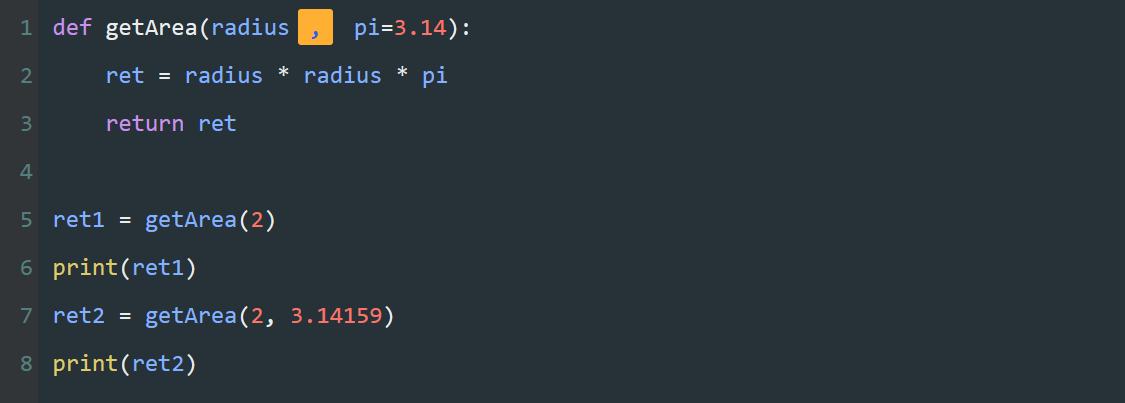
<p><strong>逗号</strong>
一个逗号,用来分割多个参数。
<img src=“https://assets.moshanghua.net/images/2022/08/msh-2592-08.png” alt=“” /></p>
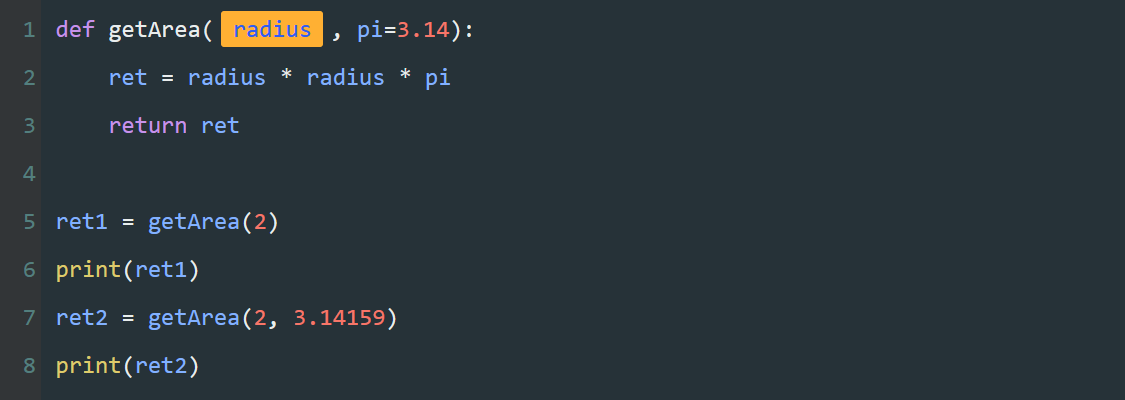
<p><strong>必选参数</strong>
一串字母radius,必选参数。</p>
<p><strong><em>必选参数要定义在默认值参数之前。</em></strong>
<img src=“https://assets.moshanghua.net/images/2022/08/msh-2592-09.png” alt=“” /></p>
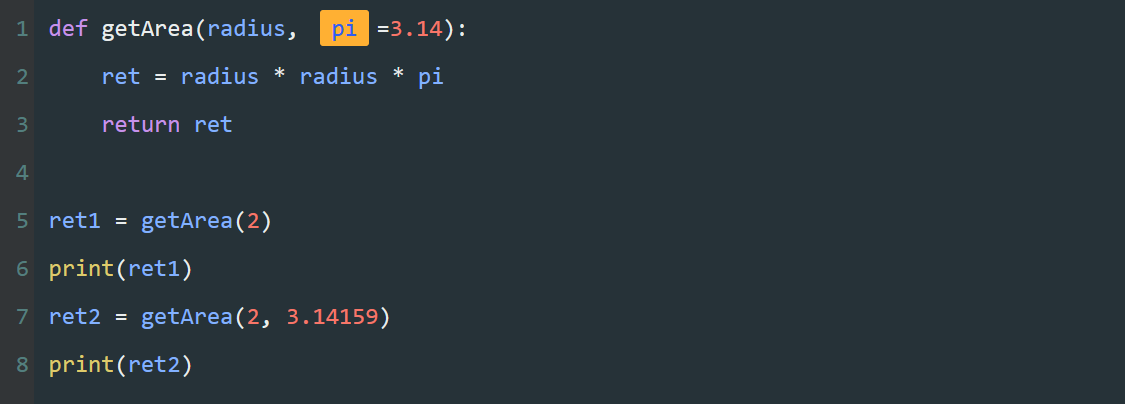
<p><strong>默认参数</strong>
一串字母pi,默认值参数。</p>
<p><strong><em>默认参数可以有任意个,但必须定义在必选参数之后(若必选参数存在)。</em></strong>
<img src=“https://assets.moshanghua.net/images/2022/08/msh-2592-10.png” alt=“” /></p>
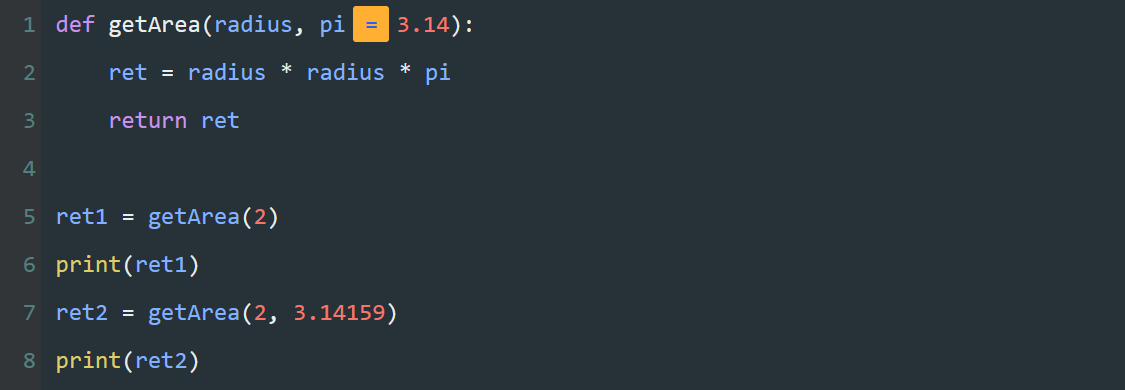
<p><strong>等号</strong>
一个等号,赋值符号。</p>
<p><img src=“https://assets.moshanghua.net/images/2022/08/msh-2592-11.png” alt=“” /></p>
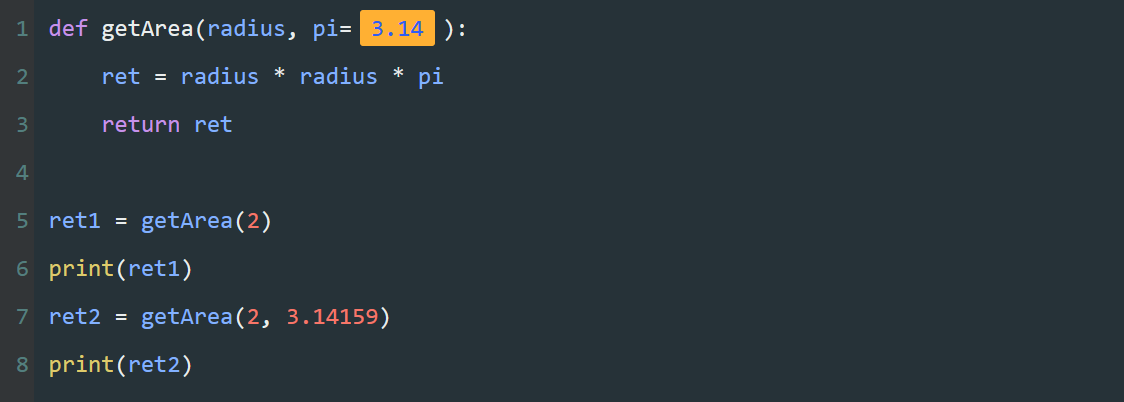
<p><strong>默认值</strong>
一组数据,为参数pi设置默认值。</p>
<p><strong><em>若在调用函数时,没有为参数pi传递实参,参数pi默认为3.14。</em></strong></p>
<p><img src=“https://assets.moshanghua.net/images/2022/08/msh-2592-12.png” alt=“” /></p>
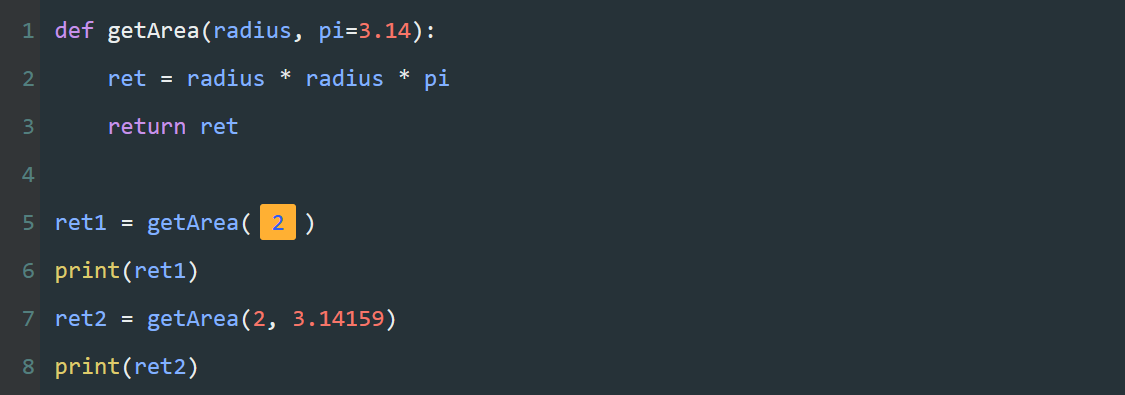
<p><strong>传递一个实参</strong>
调用函数,只为必选参数传递整数2。</p>
<p>因为pi没有接收到参数,所以pi将使用默认值3.14。</p>
<p><img src=“https://assets.moshanghua.net/images/2022/08/msh-2592-13.png” alt=“” /></p>
<p><strong>传递两个实参</strong>
调用函数,传递参数2与3.14159。</p>
<p>此时pi接收到的实参数据3.14159会覆盖默认值3.14。
<img src=“https://assets.moshanghua.net/images/2022/08/msh-2592-14.png” alt=“” /></p>
<p><strong>代码小结</strong>
当我们定义一个默认值参数时就需要这几个部分
<img src=“https://assets.moshanghua.net/images/2022/08/msh-2592-15.png” alt=“” /></p>
<p>目前学习了两种类型的参数,必选参数与默认值参数。这两种参数形式涵盖了80%以上的函数使用。
在定义不同的参数时,需要注意避免一些常见的错误。</p>
<p><strong>1.定义参数的顺序</strong></p>
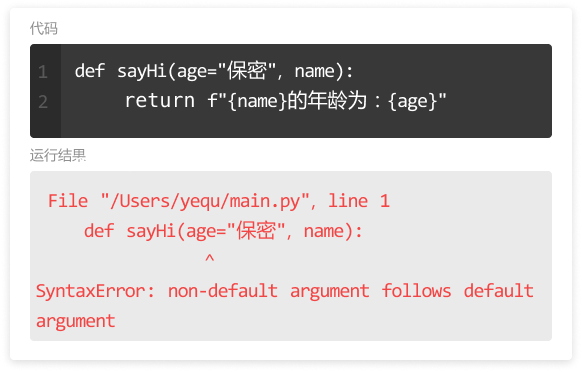
<p>在定义函数时,定义形参的顺序是:1,必选参数;2,默认参数。
当有必选参数和默认参数的时候,<strong>必选参数必须写在默认参数的前面,否则程序会出错</strong>。
<img src=“https://assets.moshanghua.net/images/2022/08/msh-2592-16.png” alt=“” /></p>
<p><strong>2.参数名避免使用无意义的字母</strong></p>
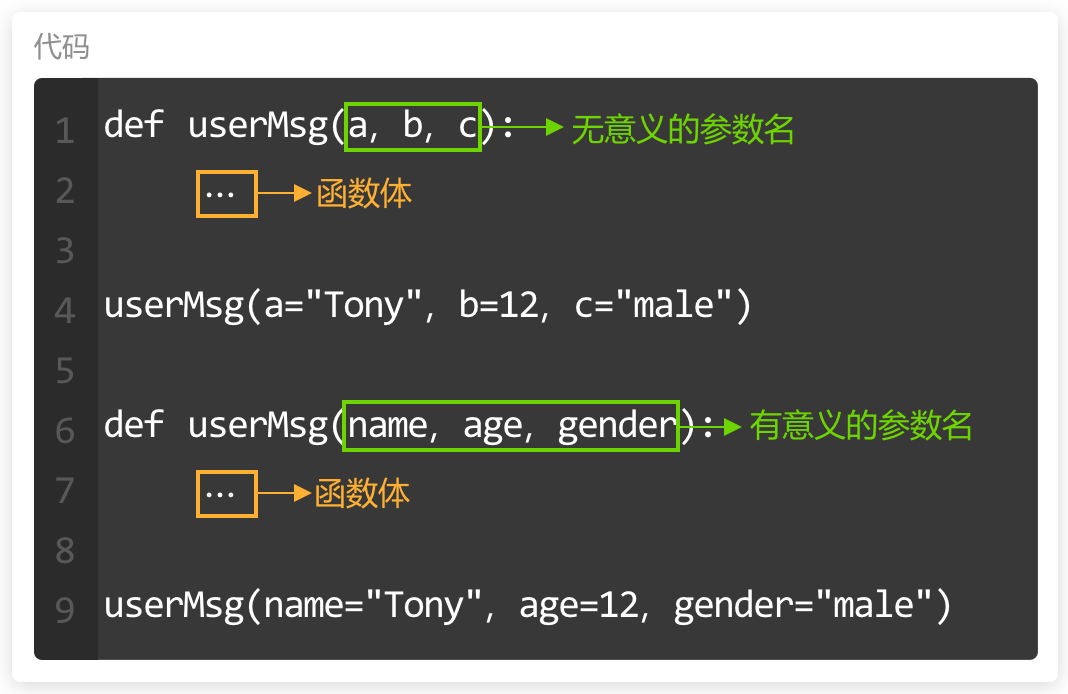
<p>在传递实参给函数时,若忘记定义顺序可以使用“形参名=实参”的方式。
但如果定义的形参名是诸如a,abc这样无意义的名字,会减少代码可读性,容易混淆。
所以设定参数名时,尽量使用有意义的名称。
<img src=“https://assets.moshanghua.net/images/2022/08/msh-2592-17.png” alt=“” /></p>
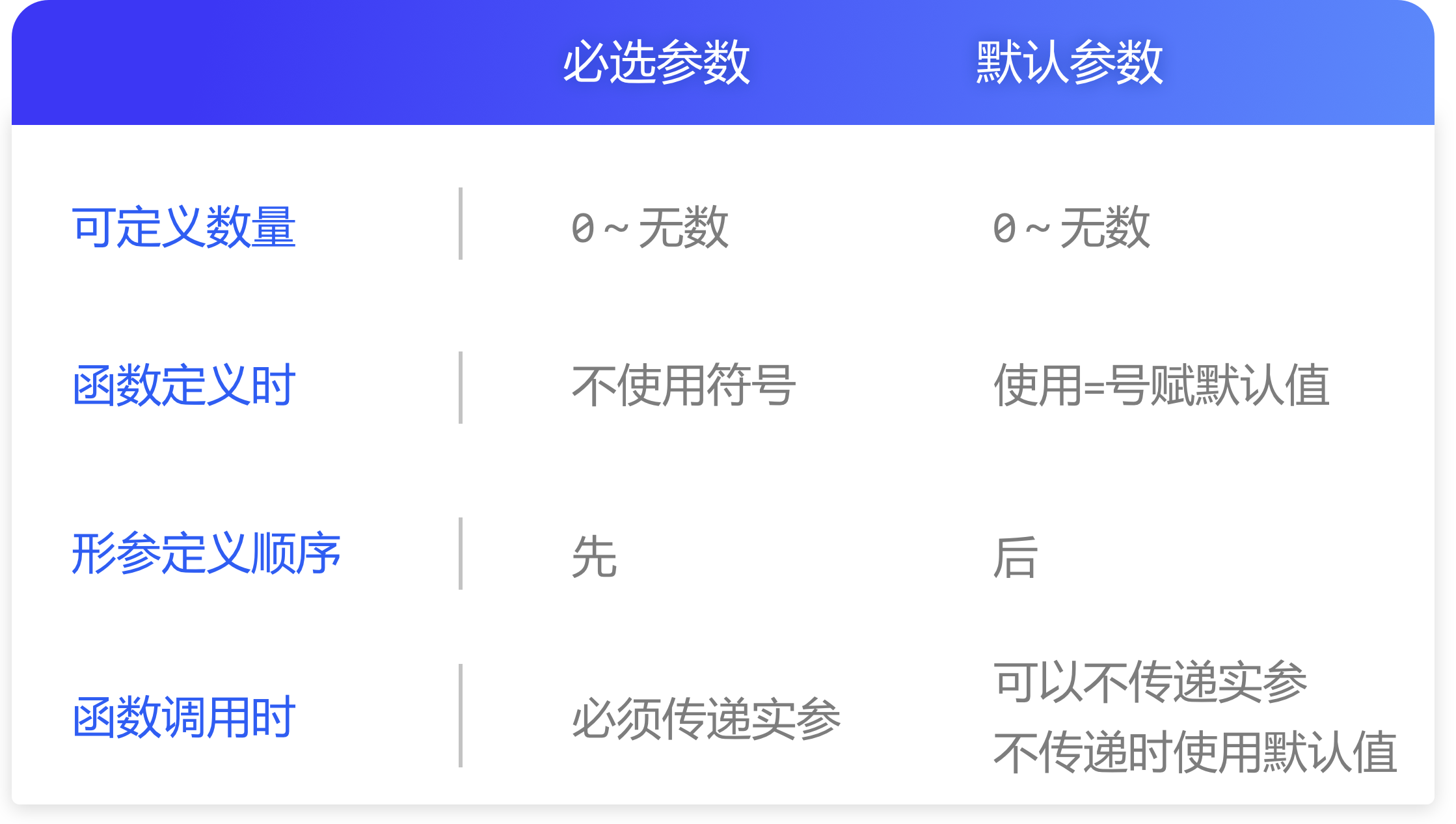
<p>最后,对这两种参数的差异性做一个总结。
<img src=“https://assets.moshanghua.net/images/2022/08/msh-2592-18.png” alt=“” /></p>